
Features
What RadiusOne does for your ISP
Hotspot sales, voucher agents, mobile money, PPPoE billing and your MikroTik routers, in one dashboard.
Everything in the six chapters is in the platform today, and the pictures are the real dashboard with sample data. What is planned is marked as planned, at the end.
Hotspot
Sell Wi-Fi while you are away
Selling codes by hand means being there at all hours, and losing track of who paid.
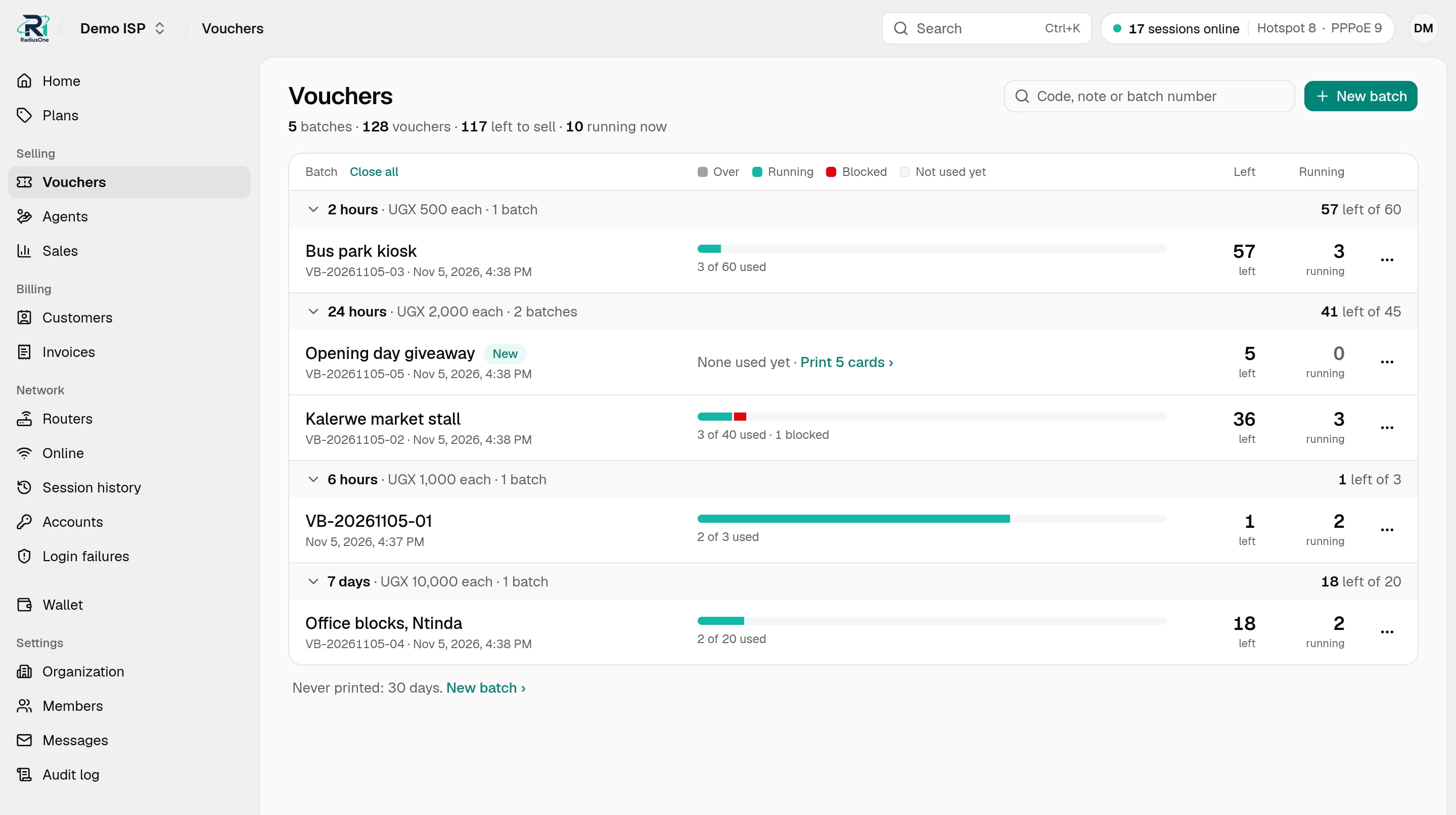
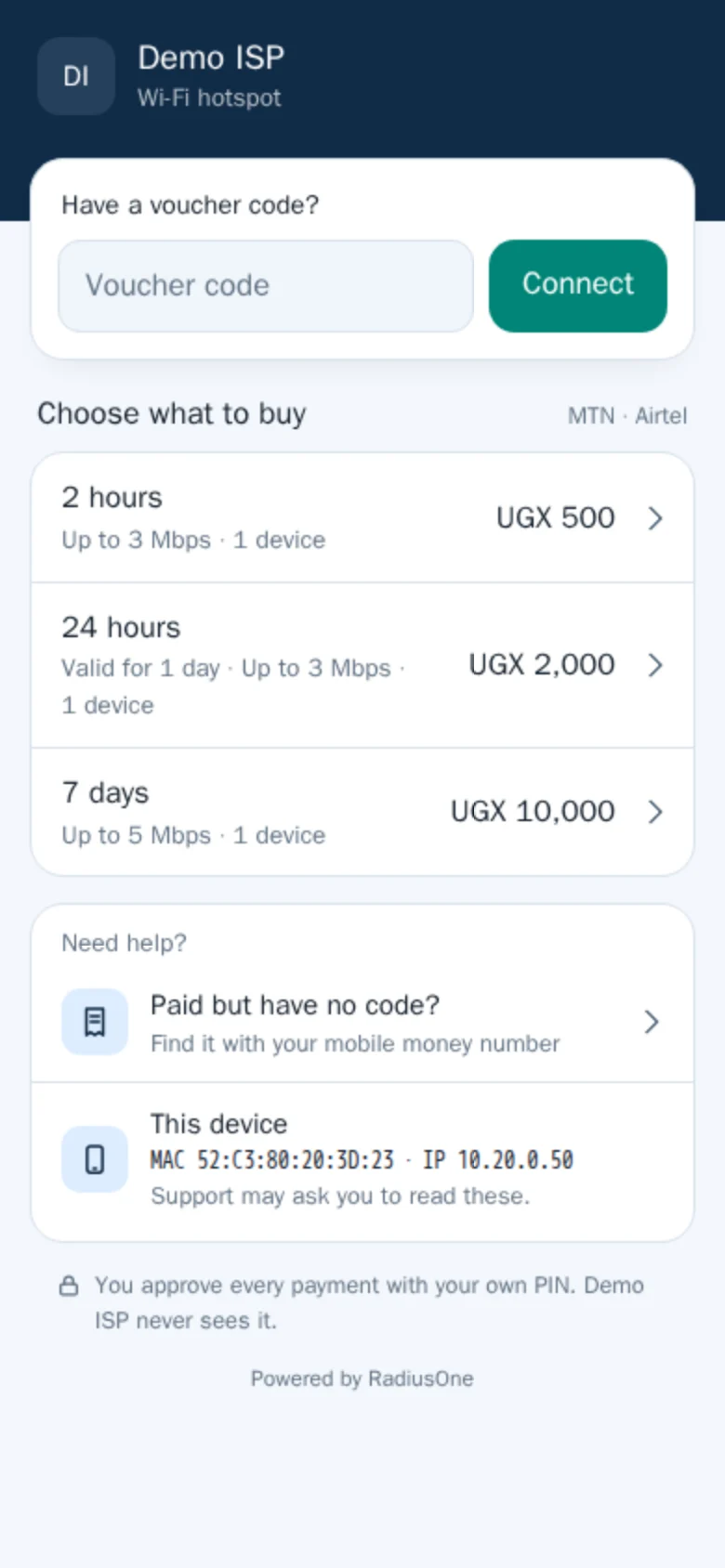
Pay and get online
Customers pick a package on your login page and pay with MTN MoMo or Airtel Money. Once the payment is confirmed, one tap logs them in.
Most bought, marked
Once one package clearly sells best, the page marks it. Offer a free package too, once per device in a period you choose.
Buying for someone else
The paid page shows the code with a Copy button, to send on by WhatsApp or SMS.
Paid but no code?
The help card finds the code again with the number they paid from and the transaction ID of the payment.
Printed vouchers with QR
Print batches with a QR code on each voucher and a last day to start. Block a lost or misprinted one, or every unused one in a batch.
Packages your way
Time from first login, speed with optional burst, and how many devices can use one code at once. A one-device package can lock its code to the first device that logs in.
What you get. You sell around the clock, and every voucher can be traced from its batch, payment or agent sale to its first login.
Agents
Agents sell, and the float keeps count
Agents take vouchers on credit, and the cash they bring back rarely matches what they sold.
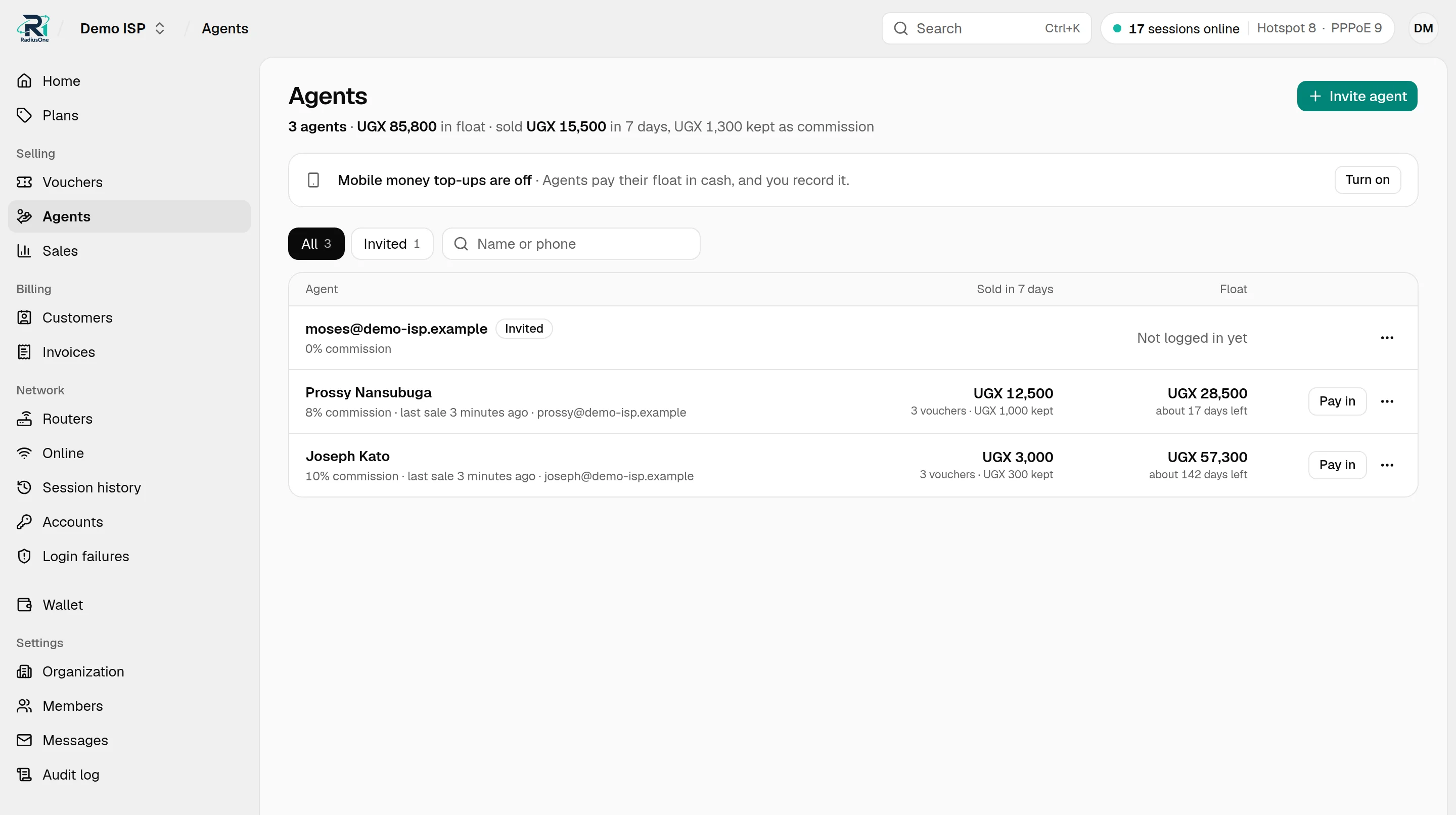
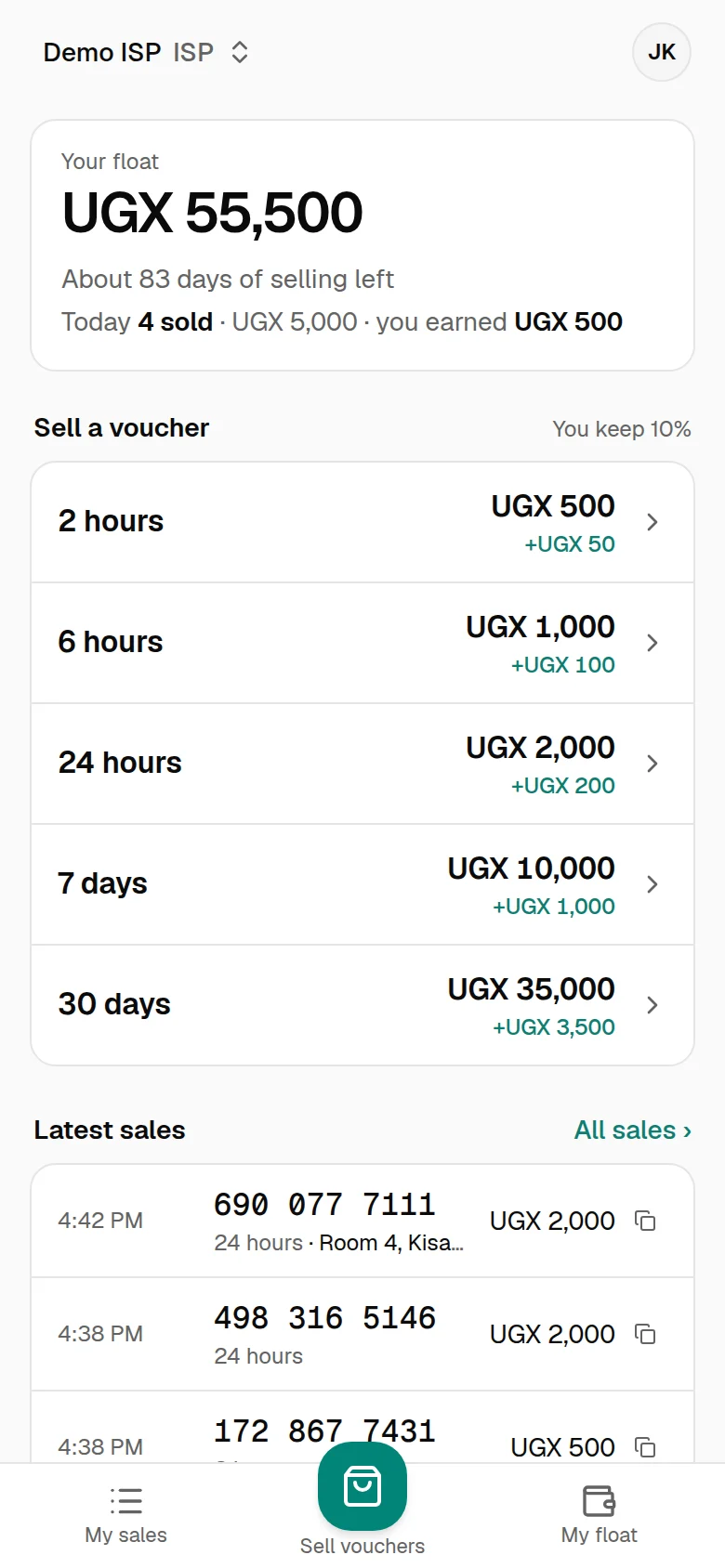
Sell from the phone
Each agent has a login. Pick a package and the voucher is made on the spot, to copy, print with its QR, or send by WhatsApp.
A float, topped up in cash or mobile money
Your staff top up the float when the agent pays you cash. If you turn it on, agents top up by mobile money themselves, and the money goes to your wallet. Each sale takes the price less the commission.
Commission per agent
You set each agent's rate, and the agent sees what they earn on every package.
A note on each sale
The agent can note the buyer's name or number, so a lost code is found again.
Float running low
The agent's phone and your Agents page warn when a float runs low. Your home page lists agents who can no longer sell.
Every sale on record
Under the agent's name, by day, with its commission.
What you get. An agent's float shows what they have paid you and not yet sold, so it matches the money without counting at the end of the week.
Wallet
Every shilling, and where it came from
Matching mobile money messages to customers and working out what you are owed takes time every day.
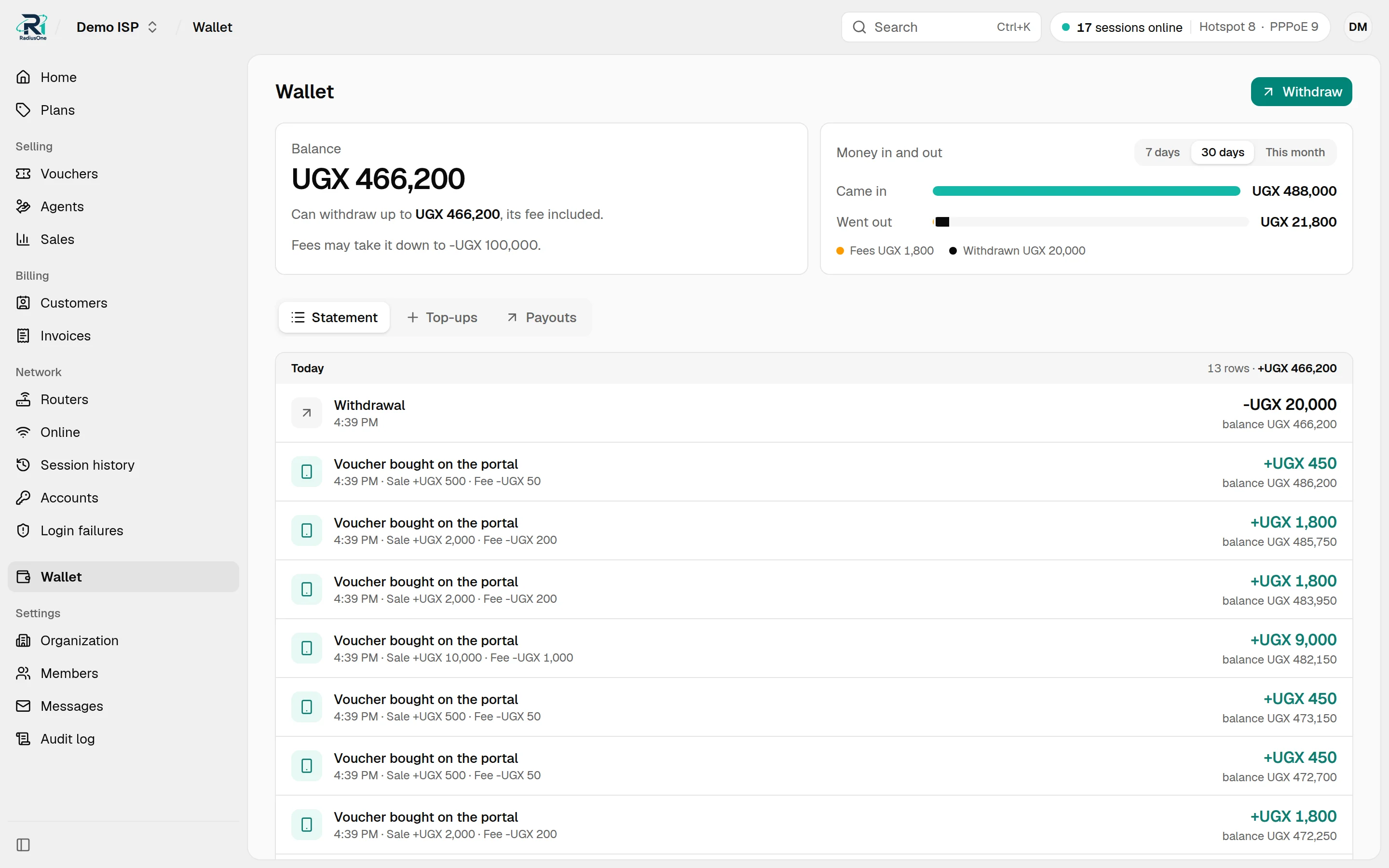
Paid through pawaPay
Hotspot sales and invoice payments by mobile money are credited to your wallet once confirmed.
A statement by day
Every mobile money sale, invoice payment, top-up and withdrawal is a line. Open one to see its entries.
Fees in plain sight
Each mobile money sale shows its fee. Fees on printed and agent vouchers are taken from the wallet, one line a day.
Withdraw to your number
To your own MTN or Airtel number once RadiusOne has verified it. Withdrawals ask for your password again.
Sales report
Hotspot page, printed and agent sales by channel, package and agent, with a CSV export.
What you get. You always know your balance, and what each line in it came from.
How payments and withdrawals work →PPPoE
Monthly bills that collect themselves
Monthly customers forget to pay, and switching them off and on at the router is slow.
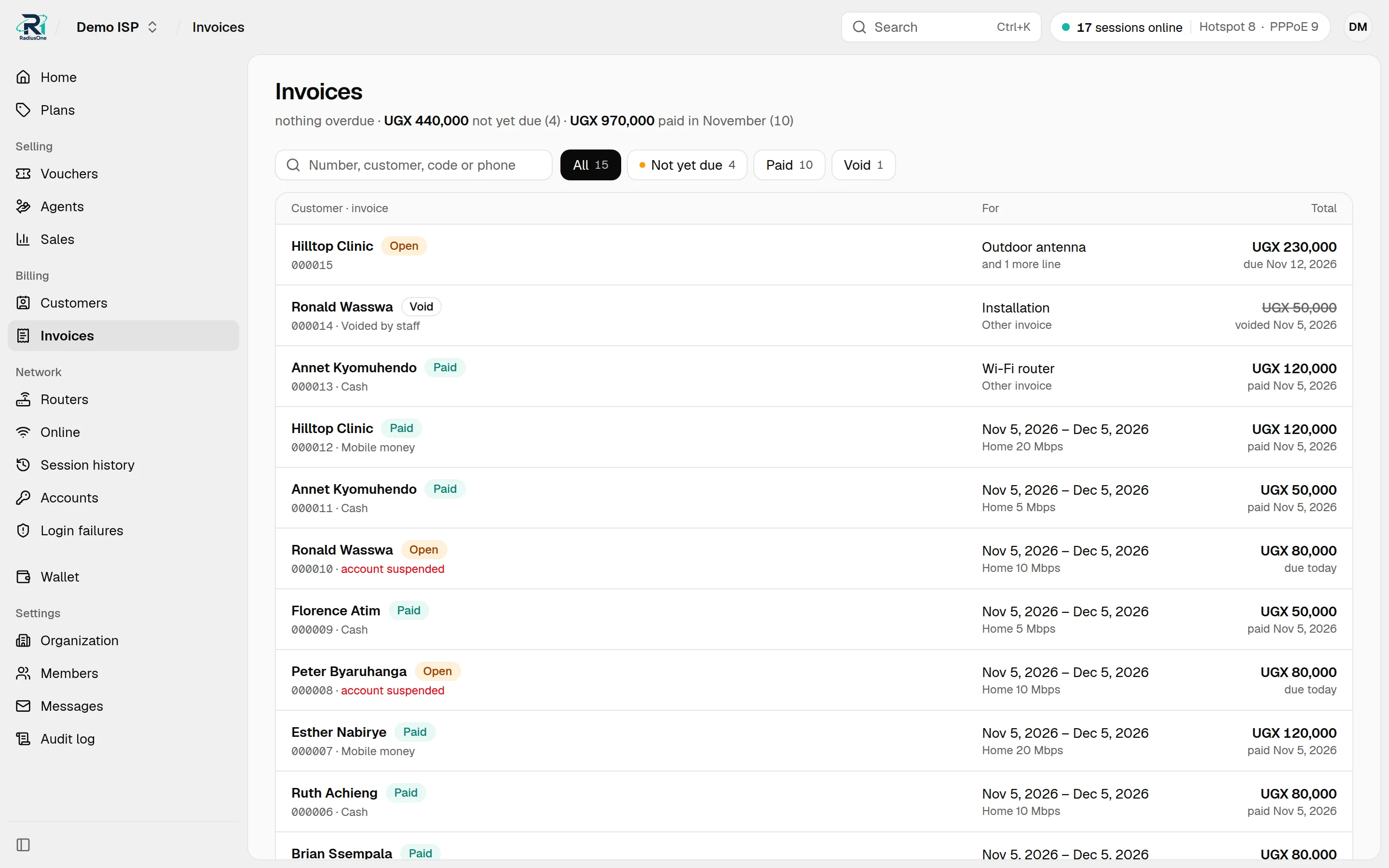
Bring your customers in
Fill in the spreadsheet template and upload it. Every row is checked before anything is saved.
Invoices go out on time
Each period RadiusOne issues the invoice and emails it with a pay link to customers who have an email address, then a reminder on the due date.
Send on WhatsApp
One tap opens WhatsApp with the invoice and its pay link written for the customer.
Mobile money or cash
Customers pay from the link. Your staff record cash and bank transfers.
Cut off, then back
An unpaid account is cut off, and a notice to pay shows on plain web pages and when a phone checks its connection. Once the payment is confirmed, access returns within seconds.
Plans and one-offs
Change a plan, extend the paid-until date, add tax to invoices, issue a one-off invoice, or give an account a static IP.
What you get. Collections run on time without phone calls, and you see who has paid, who is due and who is cut off.
Routers
Your MikroTik, connected with one command
Setting up RADIUS and a hotspot by hand takes a specialist, and you hear a router is down when customers call.
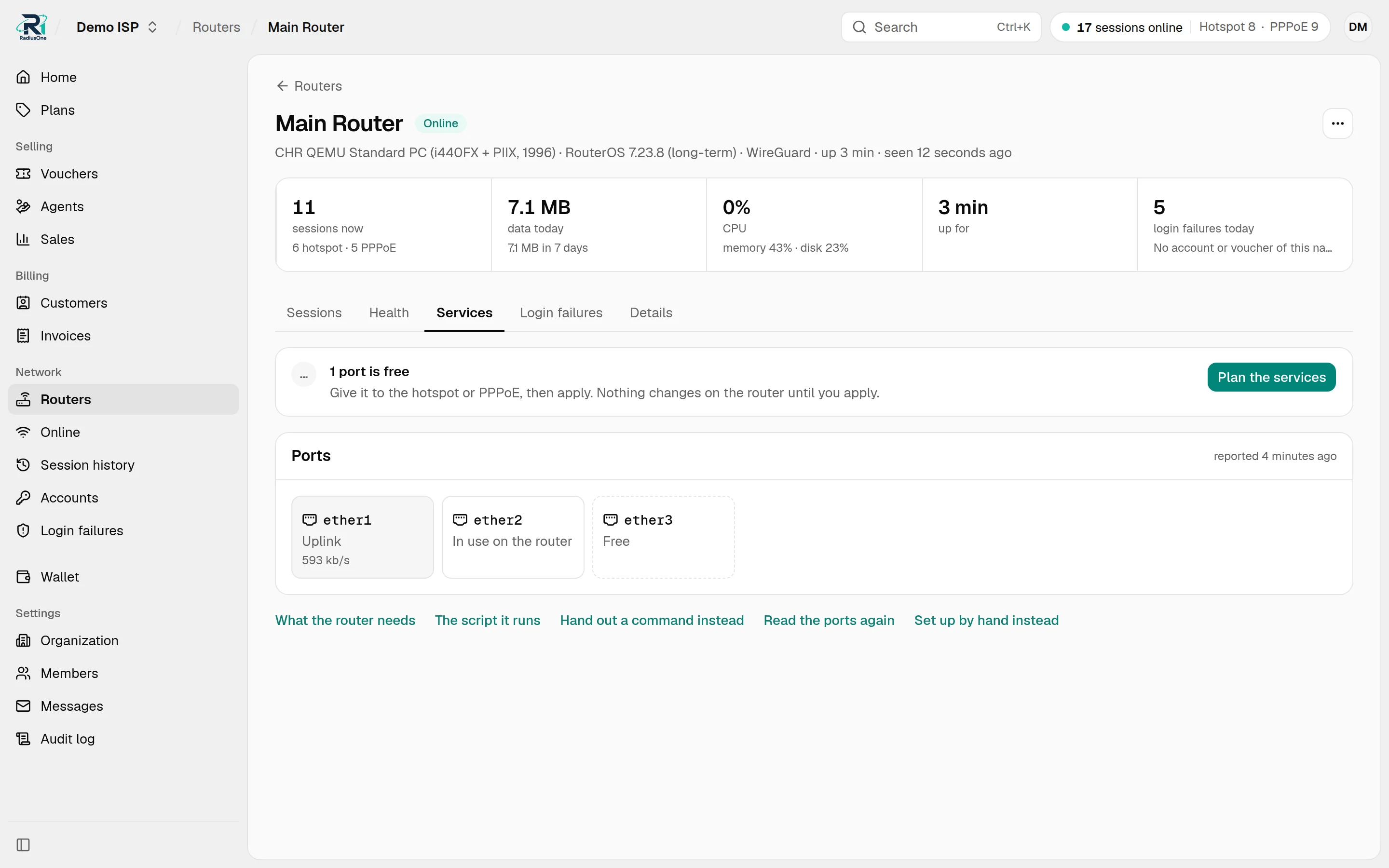
One command
Paste one line in the router's terminal. RouterOS 7 joins over WireGuard, RouterOS 6 over SSTP.
Ports from the dashboard
On a freshly reset router, give ports to the hotspot and PPPoE, with or without VLANs. Or keep your own setup.
Alerts by email
When a router is offline for 5 minutes, CPU, memory, disk or an address pool reaches 90%, or a service port goes down.
Health per router
CPU, memory, uptime, and data used today and over 7 days.
Sharing stopped
The automatic setup stops most phones from sharing their hotspot connection on, and closes the router to the internet apart from your own port forwards.
What you get. A router is ready to sell in minutes, and you hear about a problem before your customers do.
Supported versions and requirements →Support & team
Answer the call from the dashboard
A customer calls because they cannot get in, and the only way to see why is to log in to the router.
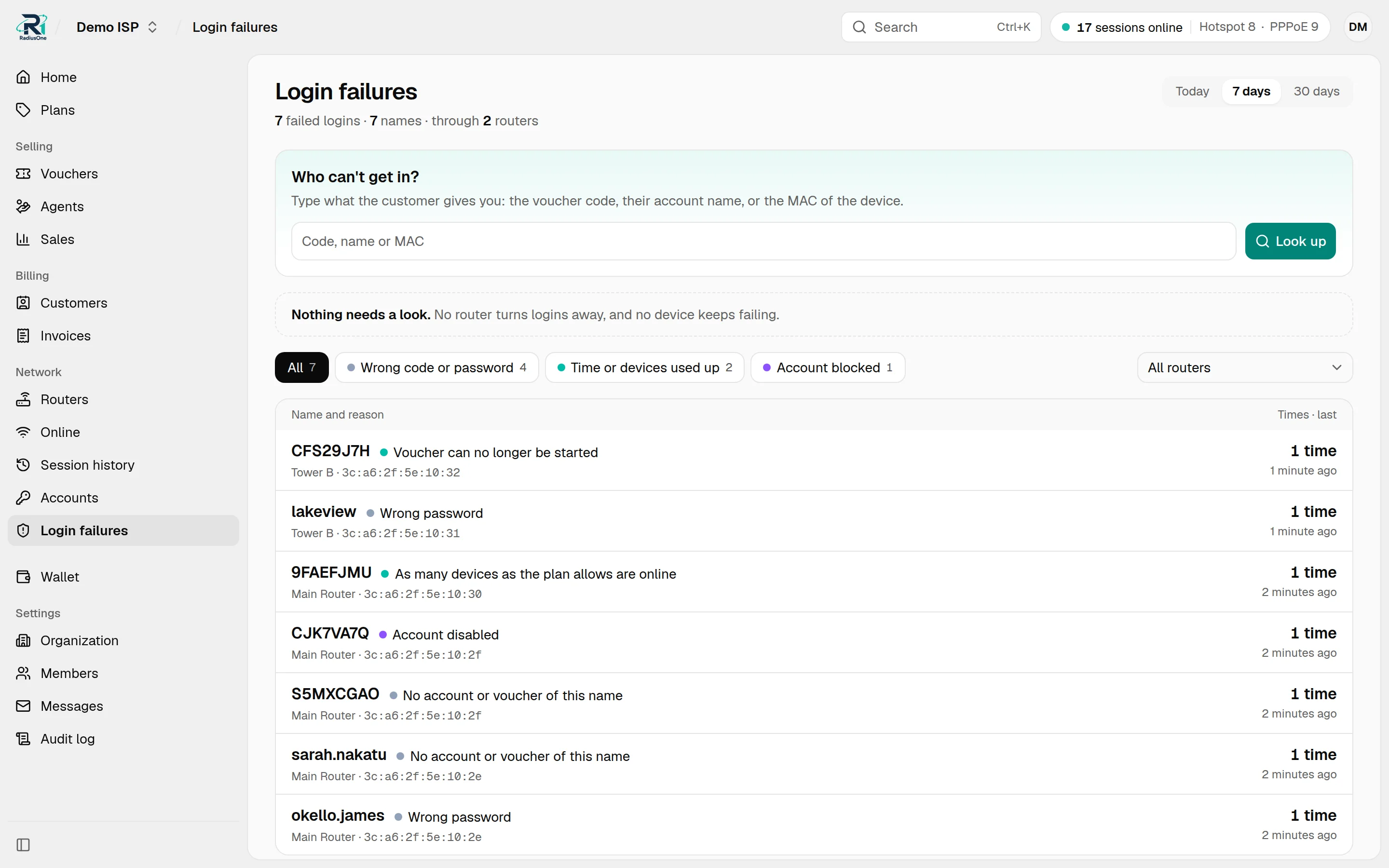
Why a login failed
Wrong password, unknown code, expired voucher: in words. Search who cannot get in by code, name or MAC.
Who is online
Every live session, with a voucher's time left. Find one by name, MAC or IP, and disconnect it.
Session history
Every session that ended in the last 30 days, with its device, data used and why it ended: time up, logged out, connection lost or router restarted.
A home page with a to-do list
Routers offline, failed invoice payments and agents low on float, at the top.
Roles for each person
Add people by email or phone number as ISP admin, technician or agent. Technicians see the network, not your money, and with a confirmed email work for several ISPs from one login.
Who did what
An audit log of every change your staff make, including cancelled cash payments. Withdrawals and member changes ask for the password again.
What you get. Support calls get answered without the router, and each person has the access their job needs.
Planned
Next, after launch
These are not in the platform yet. They are next on our list once RadiusOne is live.
Planned
Remote access to your network
Reach a connected router, and the access points and other devices behind it, from the dashboard through the router's own tunnel, without a public IP or port forwarding.
Planned
Customer routers over TR-069
See the status of your PPPoE customers' Wi-Fi routers, and change their Wi-Fi name and password, from the dashboard.
Start with RadiusOne
We are onboarding a small number of ISPs in Uganda. Send us a WhatsApp message with your ISP name, whether you run hotspot, PPPoE or both, and your RouterOS version. We check that your setup is supported, agree your rates, and help you connect your first router.